Showing posts with label Unplugged Project. Show all posts

Thursday, March 11, 2010

Friday Fractal: Spirals Part 2

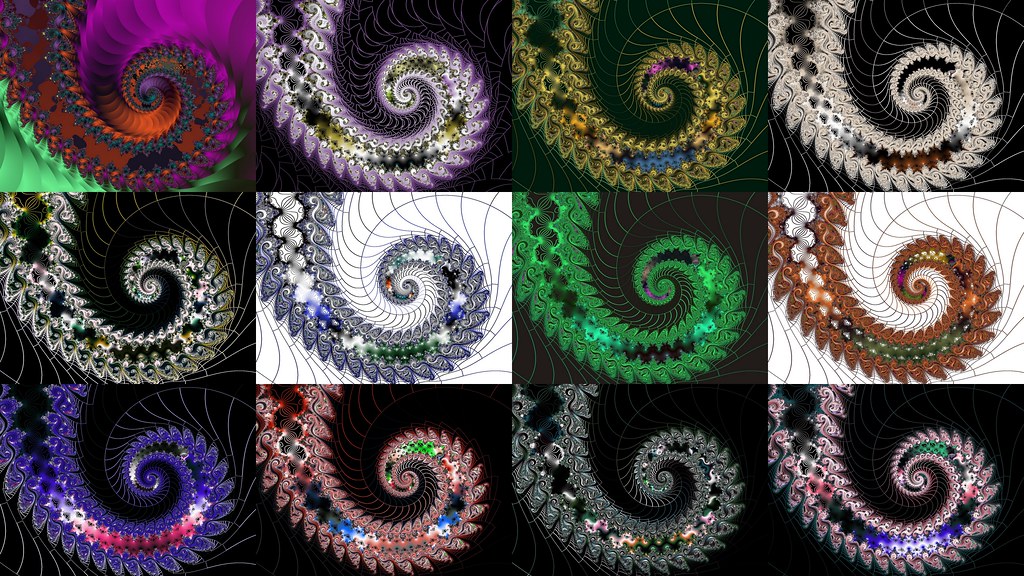
A collage of fractal spirals

In my first spiral (Spirograph) post, I mentioned how much I enjoy spirals. I made this collage of spirals today for my Friday Fractal. Fractal spirals are usually logarithmic spirals. They look like dragon or possum tails. Logarithmic spirals are also called spira mirabilis (miraculous spiral) because the shape of the spiral is unaltered no matter what its size. These spirals appear frequently in nature: in sunflower heads, nautilus shells, the rotation of a low pressure area in the atmosphere and other places.

There are other types of spirals. On the left you see an Archimedean spiral. The "turnings" of the spiral are always the same distance from other turnings. In logarithmic spirals, the turnings are a different distance away from each other and the changes in the distance form a geometric progression. "Many dynamic spirals (such as the Parker spiral of the solar wind, or the pattern made by a Catherine's wheel) are Archimedean." (source: http://en.wikipedia.o. . . ) Old phonograph records also used Archimedean spirals.
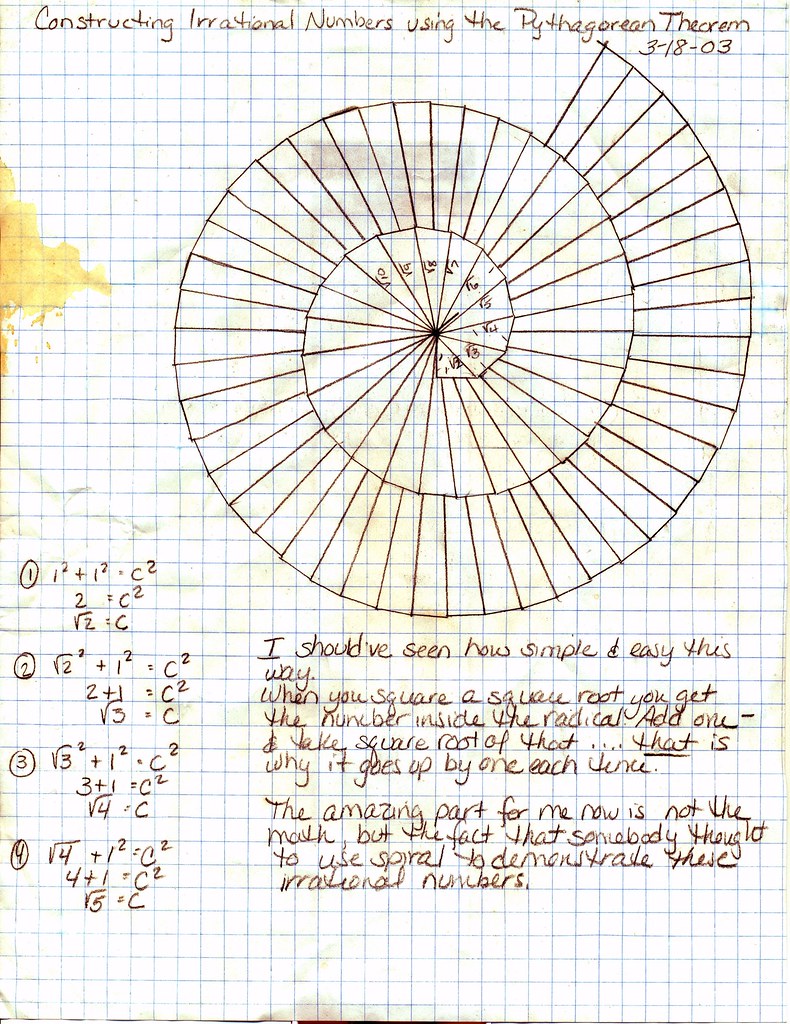
Another spiral is one of my favorites. I drew the spiral on the left a few years ago using the Pythagorean Theorem (the paper has suffered abuse). This square root spiral is also called the Spiral of Theodorus. If you click on the spiral, a new window will open with the full size image that you can read. This spiral is constructed with a series of right triangles. The leg on the "bottom" is always of length 1. The other leg is the same length as the hypotenuse of the previous triangle. And the new hypotenuse is determined by using the Pythagorean Theorem. What is ironic is that you can use this spiral to prove that irrational numbers exist. The ancient Pythagoreans claimed that all numbers were rational. Pythagoras himself believed this. But when one of the members of Pythagoras' secret society, Hippasus of Metapontum, claimed that he had discovered the existence of irrational numbers, he was drowned in the ocean by his fellow mathematicians because of his heresy.

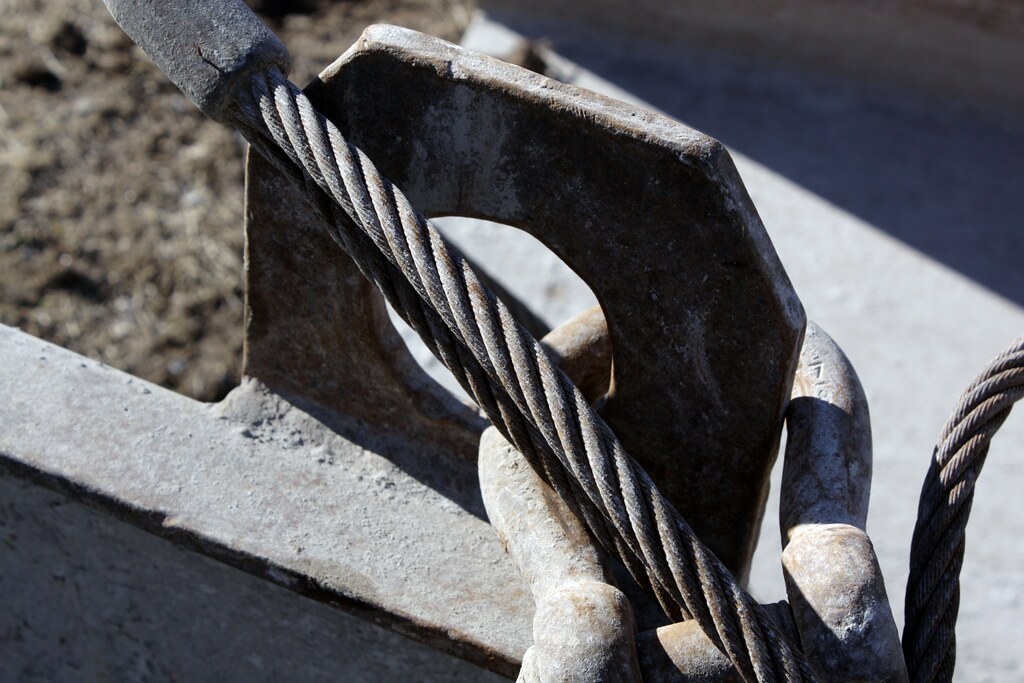
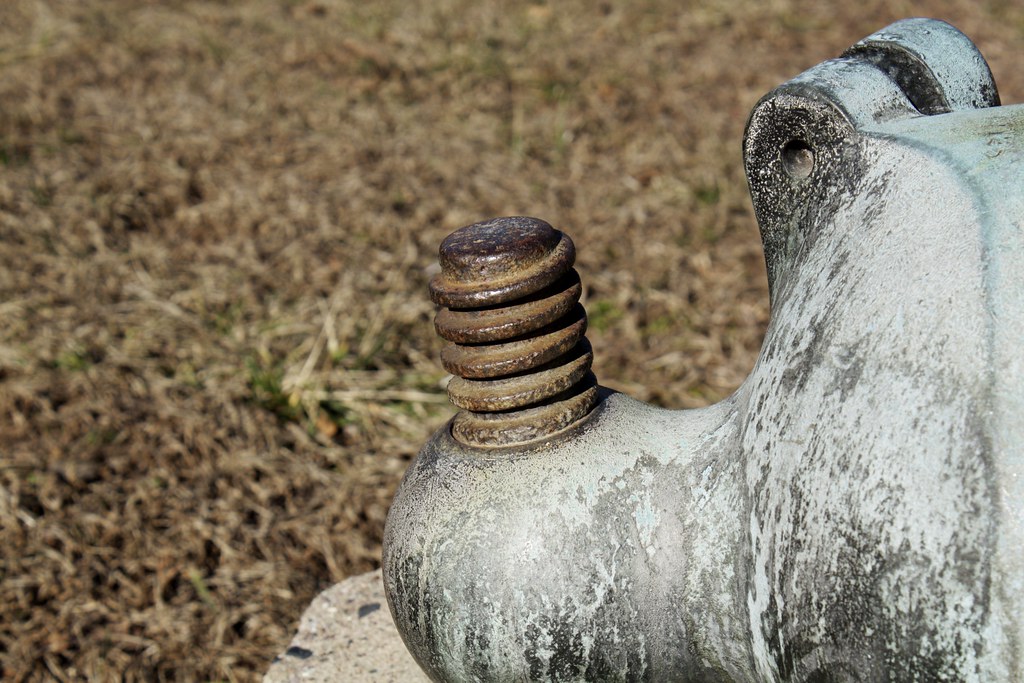
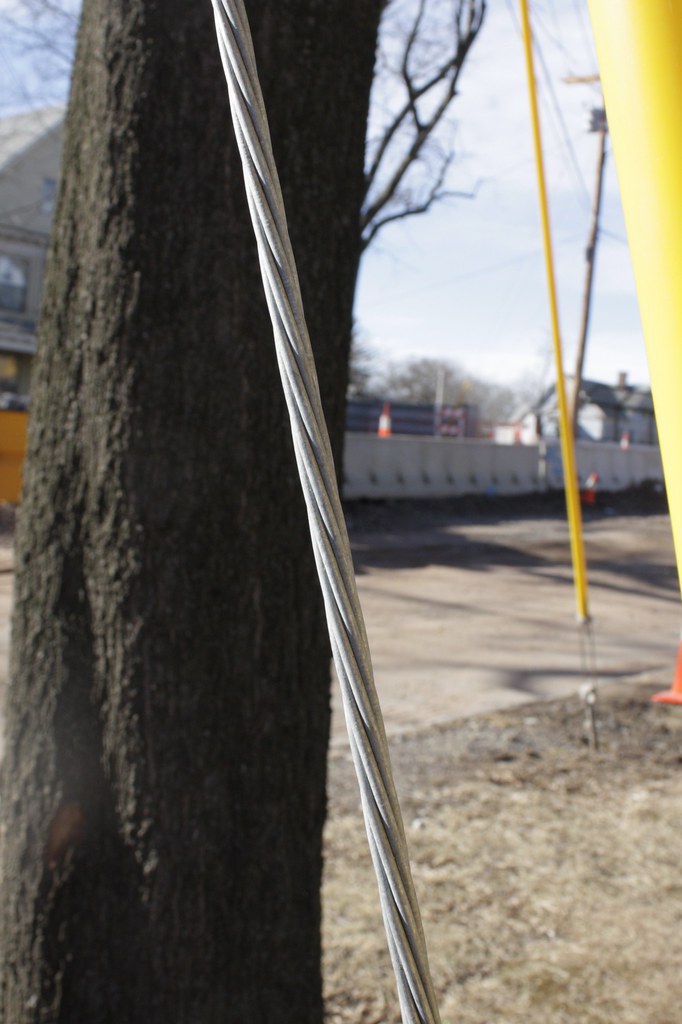
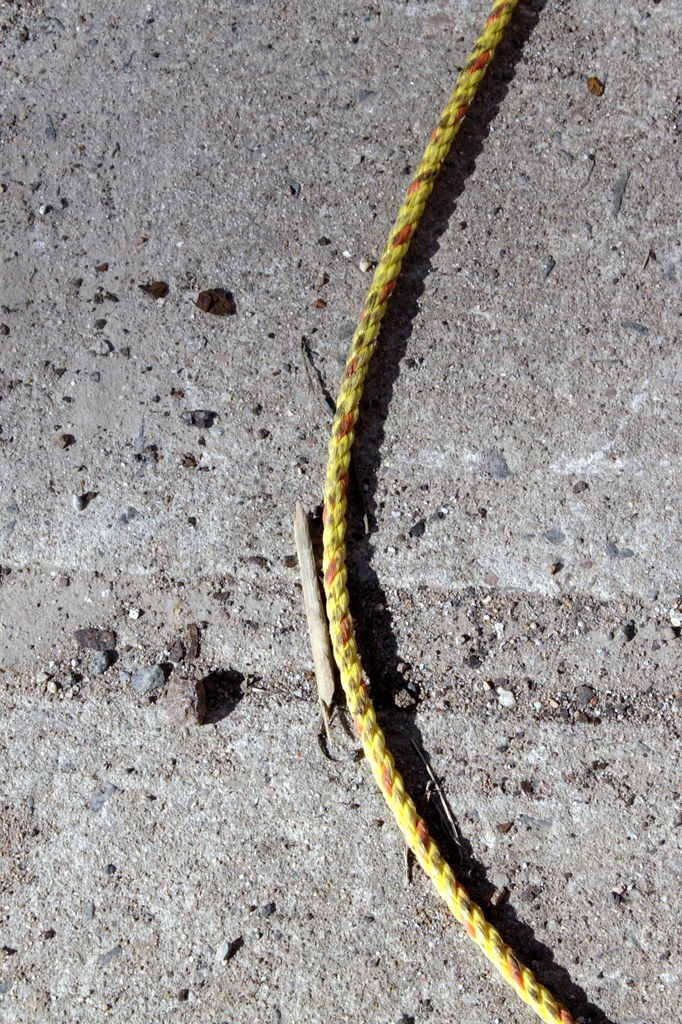
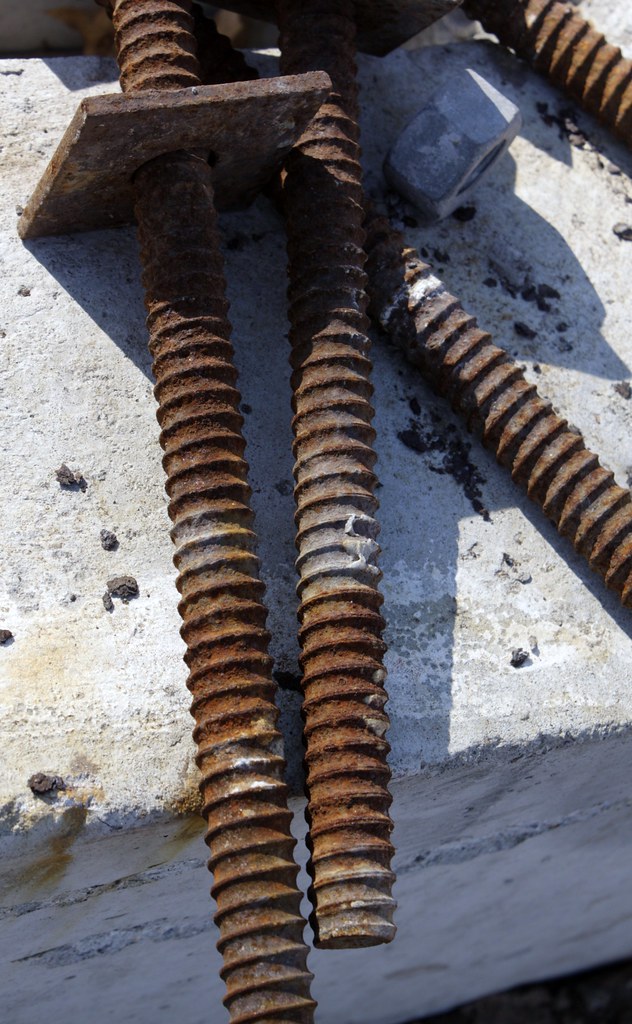
We have already seen one use of spirals: old phonographic records were constructed with Archimedean spirals. When John and I were in New Haven, Connecticut on a photography walk this past weekend, we found more spirals in pipes, bolts, pine trees and cable. Spirals give ropes and cables extra strength. Spirals enable bolts and screws to screw down into wood and metal. And spiral pipes have added strength to prevent them from being severed accidentally if they are buried underground.



Technorati Tags: Del.icio.us Tags: Flickr Tags:

diigo it
_/\_/\_

Sunday, February 10, 2008

Unplugged Project: Sophie Digging for Peanuts Collage

It turns out that my red squirrels love the peanuts that I throw out under the tree (please be sure to see the squirrel photos in those links — which open in a new window). The problem is that they are hiding them everywhere — in the snow. They hid several in the front of the house, where Sophie found them by digging in the snow. The dogs can smell a squirrel very quickly, so without seeing a squirrel, she knew something was under that snow. After finding the peanut, she would happily munch it before looking for another.

There was a heavy snow squall blowing while I took these photos. The wind was wild. Sophie was digging so fast that two of the photos are blurry. You can see the collage, full size, in a new window if you click on the image.

Often I take several photos of the same scene. Each photo may appeal to me so that I cannot choose which to post. But it can be boring for a reader to scroll down through all of the photos. A collage is the answer. In my quest to make collages on the Mac, I have finally decided that using ImageWell to place the photos, then Elements to edit the edges, then ImageWell for the frame is what works best for now. It is still a very clumsy method and I hope I find a Macintosh collage maker soon.

Visit other participants of the Project at Unplug Your Kids
or click
Next week's Project: Fabric


_/\_/\_

Tuesday, January 29, 2008

Unplugged Project: Mancala, Continued

It was Ski Day at school but many students didn't go. I had three different sets of students painting my Mancala egg cartons today. It will take a few days for them to dry because they are saturated in paint.
_/\_/\_

Sunday, January 27, 2008

Unplugged Project: Mancala

Update here.

Cut egg cartons apart to make your own Mancala game. Paint them or cover with pretty papers and you have a custom made and worthwhile game that two people can play. I am making mine for my classroom. I have cut apart the egg cartons and will have students at school paint them with paints that the art teacher feels would work best. The only other thing I need for the games are 24 little stones for each game. I may use beans or poker chips that I have at school because stones are rather difficult to find under a few feet of snow.

I piled them up in front of Possum's little countertop bed and she isn't sure if she likes this. (I had to use this opportunity to post a couple of the few good photos I get of this girl.)

What is Mancala? It is an ancient game from Africa that is mathematically significant for your children to learn. I am not even going to bother any of us with the mathematics but if you like, you can have your children talk about strategies the will increase their chances of winning. It is a rather complex game to learn, but once you learn you become addicted. I used to know how to play years ago but I had to learn all over again in order to write this post. You cannot overemphasize the importance of game playing for mathematics learning and for family relationships.

If you click the Mancala Snails image above, you will be taken to an online, free version of Mancala. It is the easiest way to learn how to play. Just choose "beginner lever" and play until you begin to develop strategies. There are many variations of the game, but stick to the basics that are in Mancala Snails. The rules used there are accurate and true to the real game. It is said that Mancala is the historical precursor to chess. I know for a fact that children love to play this game because they always ask me to get one for the classroom. Now I enjoy playing the computer at Mancala Snails when I am tired and just want to relax.

Possum is still a bit startled by the mess about her and hopes I take the cartons to school in the morning.
Thank you for stopping by.
Visit other participants of the Project at Unplug Your Kids
or click
Next week's Project: Pipecleaner (or Twist Tie? Or Wire?)

Technorati Tags:
_/\_/\_

Sunday, January 20, 2008

Unplugged Project: Matchsticks Game

Toothpicks (and, not as safely, matchsticks) can be used for a vast number of mathematics games in order to develop geometric knowledge, problem-solving skills and critical thinking, meeting NCTM standards. I have embedded a Flash game in this post so that you and your family can play Matchsticks. It has a scoreboard that will keep your scores forever! So be sure to bookmark this post so that you can come back and play often. The game will open in a new window, so you may have to enable popups for this post only.
Other mathematically excellent sites for toothpick games and puzzles:
Puzzle Corner: Toothpick Games
Toothpick World (with a toothpick applet to
solve the more than forty puzzles available).

Thank you for stopping by.
Visit other participants of the Project at Unplug Your Kids
or click
Next week's Project: Egg Cartons

Technorati Tags:
_/\_/\_

Monday, January 14, 2008

A Fun Arithmetic Game That Sparks Exploration >> Fun Math Blog

Unplugged Project: Puzzles: I missed Puzzle week for the project so I offer my work now.

A fun arithmetic game that sparks exploration >> Fun Math Blog: 
Here’s a game that’s easy and leads to a nice exploration of number theory for those so inclined. Two people play. All you need is a sheet of paper and a pencil or pen. Here’s how to play:
  • Each person thinks of a number between 1 and 50 without telling the other person what the number is. Then, each person writes their number on the sheet of paper.
  • Decide who is going to go first, by tossing a coin or in some other mutually agreeable way.
  • Players take turns writing down the positive difference between any two numbers on the sheet of paper.
  • Numbers cannot appear more than once on the paper.
  • The player who cannot write down a unique positive difference loses.
I have used this game in two 5th/6th grade mathematics classes so far. As simple as this game appears on the surface, I suggest that you read the rest the original post to learn its importance to your child's mathematics education. It is a rich and valuable game for them to puzzle over. 

I have posted, as a comment at the original post, what my classes have learned in forty minutes of playing. I won't repeat the observations here in hope that you will play and reach your own conclusions first. But we have not even scratched the surface of the extensions of this game. I need to do some independent study about Euclid's Algorithm before I use it with my older students. I am even considering using it with my college classes. 

If, after learning this game with your child, you find that there is a time when you cannot play with her, you will be interested in this quote from Wild About Math!:
This game is related to Euclid’s algorithm and to the greatest common divisor of two integers. At Cut the Knot there’s a Java version of this game, Euclid’s Game, that you can play alone against the computer. In the computer game the computer picks the two starting number but you can practice determining who should go first.
I use the Cut The Knot site often as a problem solving tool. There are many Java applets there for many classes of problems. We especially use it with the Josephus Flavius problem (which also has extentions and applications to many other problems) but with a far less gruesome problem. 

Here are three screen grabs of Euclid's Game. In the first image, I have chosen to go first because the computer generated numbers are 29 and 18:

In the next image, I purposefully made a subtraction error to demonstrate the feedback that the applet provides:


And finally, I won!


Thank you for visiting. 
To view other projects please click  
or the links above.

Saturday, January 12, 2008

Pansy's "Life Poster": How To Make It

There is a new way to make collages and life posters at the HP Community Mosaic site. This site works in conjunction with the Flickr HP Community Mosaic Group. I used these tools to create Pansy's life poster above. The directions below are for Macs. Hopefully, a PC user will use the comments to modify/correct these directions for PCs.
  1. Select all of the photos that you want to use (a minimum of 10 is suggested).
  2. Upload these to your Flickr account and tag them with a very unique tag so that you can identify them in the group photo pool later. I used "meeyauw" and "Pansy."
  3. Join the Flickr HP Community Mosaic Group.
  4. Send your selected photos to the group.
  5. Return to the HP Community Mosaic web site.
  6. See the mosaic in the bottom left quadrant of the screen? Click on that.
  7. In the next screen, click in the text box and type your unique tags. If you have just uploaded your photos to the group, it may take a couple of minutes for them to be seen by the system. Be patient, it works.
  8. Click "generate." A new Flash screen will appear with your photos.
  9. Click "customize and print." Another Flash screen will appear with a white sheet of "paper" with your photos on it.
  10. Click and drag your photos around until you have what you want. If you want to discard a photo, simply drag it off of the sheet of paper. When you are finished, click "print it!."
  11. The rest of the directions are for Mac only if you would like to manipulate this collage image before printing.
  12. After you click "print it!" on the HP site, a page set up dialog box appears. Click OK.
  13. Now a Print dialog box appears. Click "Preview." Keep the HP window open on your desktop, just "in case."
  14. Preview will now create a .pdf file for you, and you can now create a .jpg image from this.
  15. If you like what you see, continue. If not, return to #10 above.
  16. Choose the "select tool" in Preview. Draw a rectangle around your collage, trimming off any excess white edges you may not want.
  17. Now we will crop that image. Press  + K and a crop dialog box appears. Click OK.
  18. Now you have a new .pdf page with your cropped image. Go to the File Menu and select "save as . . . "
  19. In the save dialog box, select JPG, name your file, save it, and you are done!
This is a very awkward way to make a collage, but it is the only way I have been able to do this with free software on a Mac. Which is so irritating! I took my collage of Pansy and used Photoshop Elements to fill some white spaces with color. I then used ImageWell to frame the image. Is there any easier way? I hope so.

Please be aware that any photo that you put into the HP Community Mosaic Group photo pool is available to anybody anywhere to use for a mosaic. This is the best use for these tools: you can create a mosaic of anything you desire (like trees), simply by inputting the tag you want at the HP mosaic site. If you don't want anybody using your photos, don't put them there. When I called up my photos of Buddy for a collage, I got somebody's photo of a hat!

I wanted to make one collage of all seven of my cats and announce my new Catster membership and learn from you about Catster activities. But this method of making a collage is so cumbersome that I am re-thinking that. If we have a snowstorm and a snowday, perhaps I will spend the time to do it. Right now, I have too many photos to choose from, so this method of making a collage would be very lengthy.

A note to Mom Unplugged: this is what I was going to do for the Christmas week Unplugged Project. A tad late, huh? This was also going to be my Cats On Tuesday post for this past week. Late again. But at least I got it in for Caturday.

Technorati Tags:
_/\_/\_

Sunday, December 16, 2007

Unplugged Project: Knots And A Cipher Update


Sorry, Mom Unplugged. No string theory today.

I got you-know-who The Dangerous Book for Boysfor Christmas. And
then I got a copy for myself because of the cipher wheel instructions on page sixty-seven. The cipher wheel activity blends perfectly with my Unplugged Project on ciphers. Identical, free instructions can be found here at Scholastic Kid's Spy Academy. (There are great online activities here, at Scholastic, for home and school.)

The connection to this week's Unplugged Project is the section "Five Knots Every Boy Should Know." The Dangerous Book has a web site with a special section for teachers with some free activities to use at recess or at a Parent/Son Night. And one of the activities is this knots section from the book.

Beware of this pdf activity file, though. I have had to use my school PC while my Macintosh is in the shop. And the pdf file for the knots activity crashed this PC twice. Finally, I right-clicked on the link, downloaded the file and opened it locally. It then worked. Be sure to click all of the stickie notes on the book graphic. You can print out certificates, download a section of the book and even print out badges after completion of parts of the book. There are also other valuable links.

I am still planning a math club that will engage kids, especially boys, and I think I will use this Dangerous book. It is stuffed with mathematics activities.
Please note that I am blogging on a PC, which I find inordinately difficult. All of the formatting is differently than on a Mac. I also cannot work with my photos because of my lack of PC software. Therefore, my few posts this week are using graphics linked to their source.

Thank you for stopping by.
Visit other participants of the Project at Unplug Your Kids
or click
Next week's Project is in two weeks: COLLAGE

Saturday, December 08, 2007

Unplugged Project: Nature: Red Squirrel Tunnels

Red squirrels can be sassy little pests that may move into your attic every winter. They are agressive and noisy. But they are also cute and creative. Once my daughter Amy fixed the bird feeder so that the squirrel couldn't eat the bird seed, it had to eat the seed kicked out by the birds onto the ground. I learned that the squirrel has a maze of tunnels under the snow in order to cross large open areas without being seen. The photos below are of the squirrel activities and show the evidence of tunnels under the snow. I have discovered two reasons why the squirrel would have such intricate tunnels. Look carefully at the photos below. Can you find the tunnel entrances? Can you see evidence of the tunnels under the snow? Can you think of two reasons why red squirrels would build these tunnels? Follow my journey of discovery in the photographs below.


One more fascinating fact about red squirrels discovered by one of my favorite authors, Bernd Heinrich and published in Journal of Mammalogy, Vol. 73, No. 1 (Feb., 1992), pp. 51-54.:
Red squirrels, Tamiasciurus hudsonicus, were observed systematically harvesting sugar and syrup from sugar maple trees (Acer saccharum) in a mixed stand of young hardwood trees in Western Maine. Each tap consisted of a single pair of chisel-like grooves of an apparent single bite that punctured the tree to the sap-bearing xylem. The dripping dilute sap was not harvested. Instead, the squirrels came back later and selectively visited the trees that had been punctured after most of the water from the sap had evaporated. The characteristic tooth marks left by sugaring red squirrels were observed at 22 other sites in Maine and Vermont.
Fascinating.
American Society of Mammologists
All photos will open in a new window when clicked.
Answers to my two questions are in the first comment.

Visit other participants of the Project at Unplug Your Kids or click
Next week's Project: STRING

Technorati tags:
_/\_/\_

Saturday, November 24, 2007

Unplugged Project: WKDQN IXOHF for FLSKH UVHFG

The theme for this week's project is Thankful.

Have you ever played Cryptograms? A cryptogram is actually a Caesar Cipher, or a secret code. Like on a secret decoder ring. You shift the alphabet as many places left or right as you desire and replace the original message with the new letters. The Caesar Cipher that I used for my two secret words in the title of this post has a shift of 3 places to the right. Here is my cipher key (P means plain text; C means cipher):

Do you know what WKDQNIXO means?
Do you know what FLSKHUV means?

But why, in the title to this post, have I typed WKDQN IXOHF and FLSKH UVHFG? In English, there are a few one- , two- and three-letter words that we can easily decode (such as a, an, the, I, we, etc.). In order to prevent this happening (because we don't want the wrong person to read our secret code notes), codes are broken into five letter segments. If the last segment is less than five letters, two more random letters are sometimes added so that the total number of the letters is five. These random letters are called "nulls." The five-letter segments and the nulls make it more difficult to decode my message.

Julius Caesar is said to have used this same cipher key to send secret messages to his generals in war time. You can make your own code very easily (as you have probably figured out by now).

There is a mathematical way to code and decode ciphers and it uses modular arithmetic. I'm not going to go into modular arithmetic here except to say that you already know how to do modular arithmetic if you can add, subtract and convert inches to feet, days to months, seconds to minutes, weeks to months or months to years. Modular arithmetic is also called "clock arithmetic" and you can play with it in this java applet. Your family can study the discussions and help files for the instructor and learner so that you can all learn more.

When you understand clock arithmetic, move on to the Caesar Cipher I applet and make your own secret codes. Again, your family can study the discussions and help files for the instructor and learner so that you can all learn more.

Besides writing secret messages, why would anybody want to learn the mathematics behind ciphers? Ciphers are a type of encryption. And encryption rules our world now. Every time you download a zip file, use a debit or credit card, buy something online, or even send an e-mail, encryption is involved. Children who understand the value and importance of mathematics in our world will not be afraid to pursue careers in mathematics and computer science. (They'll make good money, too!)

Here are two more puzzles for you.
Each puzzle will open in its own window if you click on it.

The first uses the same Caesar Cipher key that you used above. I made it with the Caesar Cipher I applet from shodor.org (I used a multiplier of 1, and a constant of 3):

This second cipher is more difficult and will require the whole family's participation:


And don't forget: be sure to play Cryptograms often!
You can play cryptograms on this blog — down on the right sidebar.

Visit other participants of the Unplugged Project here.
Next week's project is open-ended and the theme is PAPER.
Or if you prefer — Water Paper Painting:
Wet some paper down with a paintbrush. 
Have your child (or you!) draw on it with paints or magic markers and see what happens.
++++++++++++++++++++

References:

Caesar cipher. (2007, November 12). In Wikipedia, The Free Encyclopedia. Retrieved 02:16, November 24, 2007, from http://en.wikipedia.org/w/index.php?title=Caesar_cipher&oldid=171008675

Caesar cipher I. In Shodor.org Interactivate Activities. Retrieved 10:12, November 24, 2007 from http://www.shodor.org/interactivate/activities/CaesarCipher/

Clock arithmetic. In Shodor.org Interactivate Activities. Retrieved 9:55, November 24, 2007 from http://www.shodor.org/interactivate/activities/ClockArithmetic/

Modular arithmetic. (2007, November 19). In Wikipedia, The Free Encyclopedia. Retrieved 02:27, November 24, 2007, from http://en.wikipedia.org/w/index.php?title=Modular_arithmetic&oldid=172507761

Malkevitch, J. and Froelich, G. and Froelich, D. 1991. Codes Galore. HistoMAP Module 18. COMAP, Inc., Lexington, MA.

Technorati tags:
_/\_/\_